Exams and results
Results the moment marks are in.
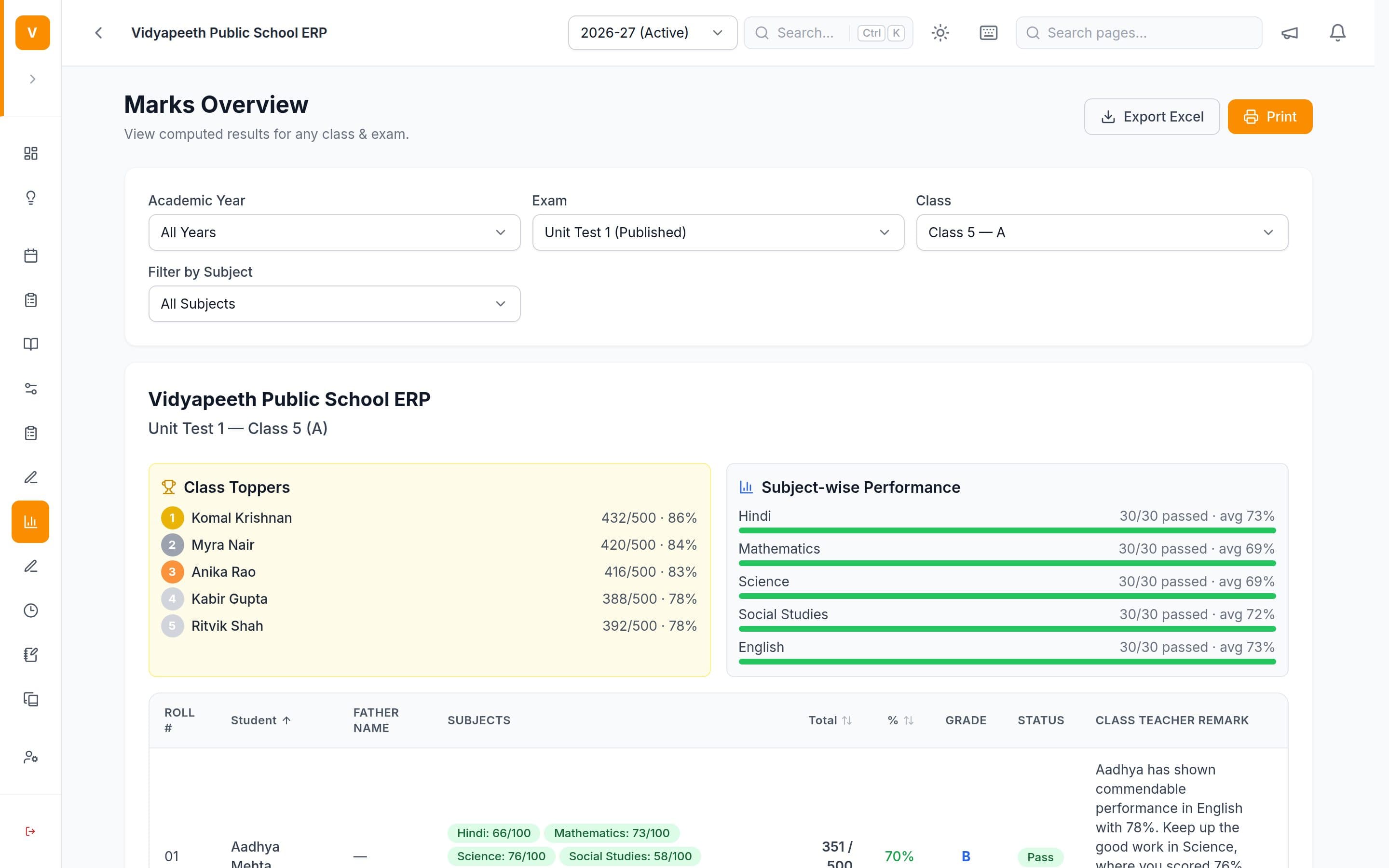
Teachers enter marks from the web or their phone. Totals, grades, toppers and subject pass rates are worked out on your grading scale.
Sound familiar?
What it replaces.
- Marks collected on paper and typed into a spreadsheet by one person.
- Totals and grades worked out by hand, then checked twice.
- No quick view of which subject or class is struggling.
How it works
Four steps, day to day.
Create the exam, its subjects and maximum marks for each class.
Teachers enter marks from the web or the teacher app.
Totals, percentages, grades and pass/fail are calculated on your scale, with class toppers and subject pass rates.
Teachers add a remark per student, and class results export to Excel.
What's included
In every plan.
- Exams
Create an exam — Unit Test, Half-Yearly, Final — choose its classes and configure marks per subject. It stays a draft while being set up, is published when results should go live, and can be unpublished again to correct a mistake.
- Marks Entry
Teachers pick an exam, class and subject, then enter every student's marks on one screen and save them together — from the web dashboard or directly from the mobile app.
- Results & Grading
Totals, percentages, pass/fail and letter grades are calculated automatically from your school's own grading scale. Teachers can add a per-student remark, and class results and award lists export to Excel.
- Reports
Pull class marks, attendance and fee-collection reports, viewable on screen, printable, and exportable to CSV.
- Dashboard & Analytics
The landing screen answers the questions a head asks first: money collected and outstanding, attendance and fee trends over the last 30 days, how each class performed in the last exam, and a list of students whose attendance or results have slipped far enough to be worth a call.
Not available yet
- Printable report cards. Printable, per-student report cards in your school's own format, ready to hand to a parent.
Step-by-step guides
Questions
Asked on every demo.
Can we use our own grading scale?
Yes. Totals, percentages, pass/fail and letter grades are calculated from your school's own grading scale.
Can teachers enter marks and attendance from their phone?
Yes. Teachers mark attendance, enter marks and post homework from the teacher app as well as the web.
Can it print report cards?
Not as a per-student PDF yet. Results — totals, percentages, grades and teacher remarks — are calculated automatically and export to Excel. Printable report cards in your school's format are on our roadmap.
See it running on
your school’s data.
Twenty minutes on a call. Then a demo built around your class list and fee structure.
Free demo · Up to three sessions · We come to your school in Chandigarh, Haryana and Delhi NCR